
01 Clusters
Databricks Cluster Costs
Keep cost context close while you browse the clusters in your workspace.
 interface
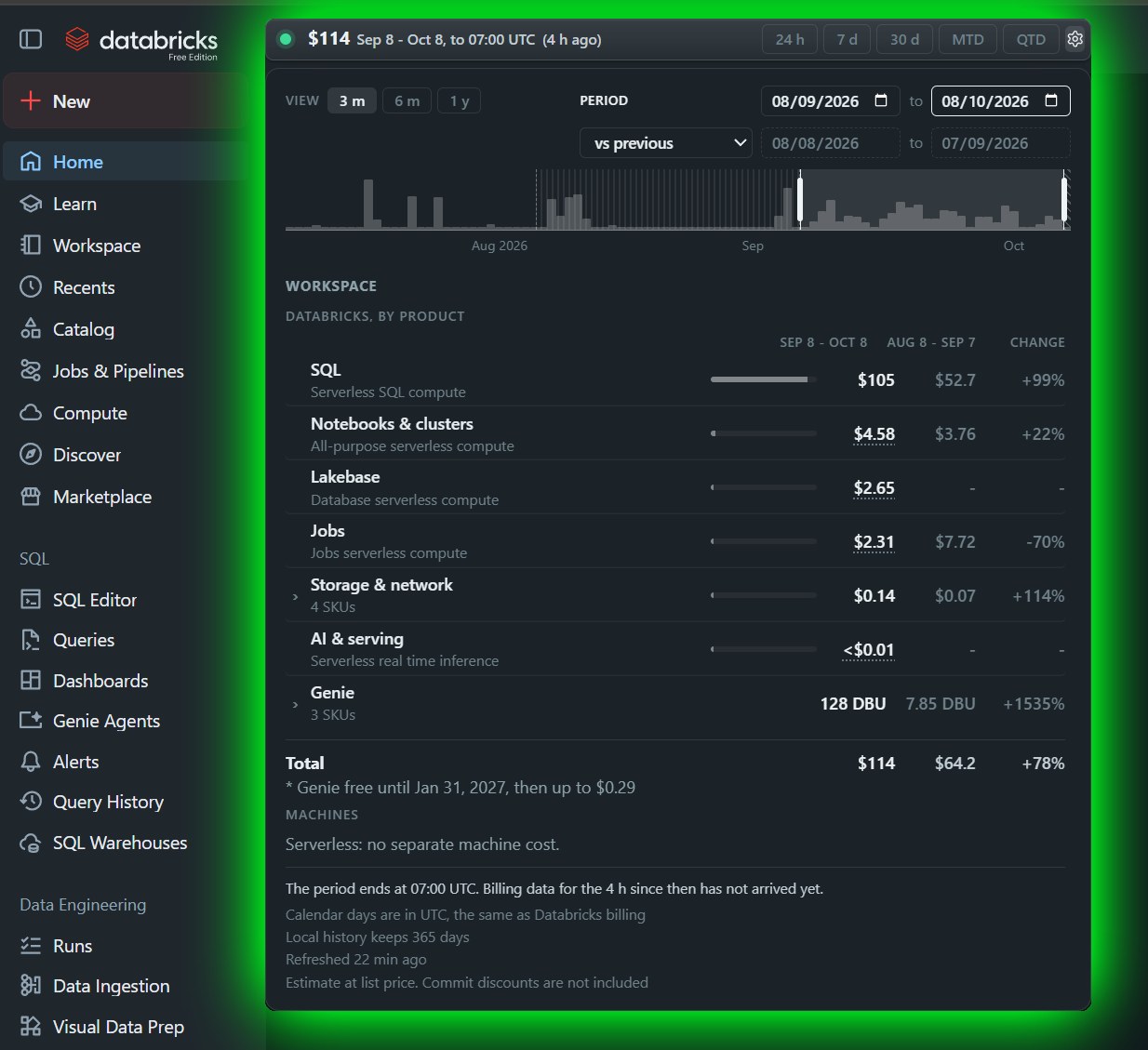
FinOpsWay is a free FinOps browser extension for Databricks. Track Databricks costs directly in your workspace, alongside your jobs, clusters, and pipelines.
Costs are not real time. Databricks publishes billing data with a delay of at least a few hours.
FinOpsWay is available in the Chrome Web Store and on Firefox Add-ons. It is free and does not need an account.
Read the setup guide for creating and configuring a cluster.
 Available for
Google Chrome
Get the extension
Available for
Google Chrome
Get the extension
 Available for
Microsoft Edge
Get the extension
Available for
Microsoft Edge
Get the extension
 Available for
Mozilla Firefox
Get the extension
Available for
Mozilla Firefox
Get the extension
Edge users install from the Chrome Web Store. After installing, open the extension's options page, choose your workspace and paste a personal access token. Browser session mode is available for testing, but use it at your own risk: it is not recommended for production. Open any Databricks page and the cost chip will appear in the top navigation. Questions? Email us.
FinOpsWay places cost context next to the Databricks resources you use every day.
Explore All costs features.
01 Clusters
Keep cost context close while you browse the clusters in your workspace.
02 Jobs and pipelines
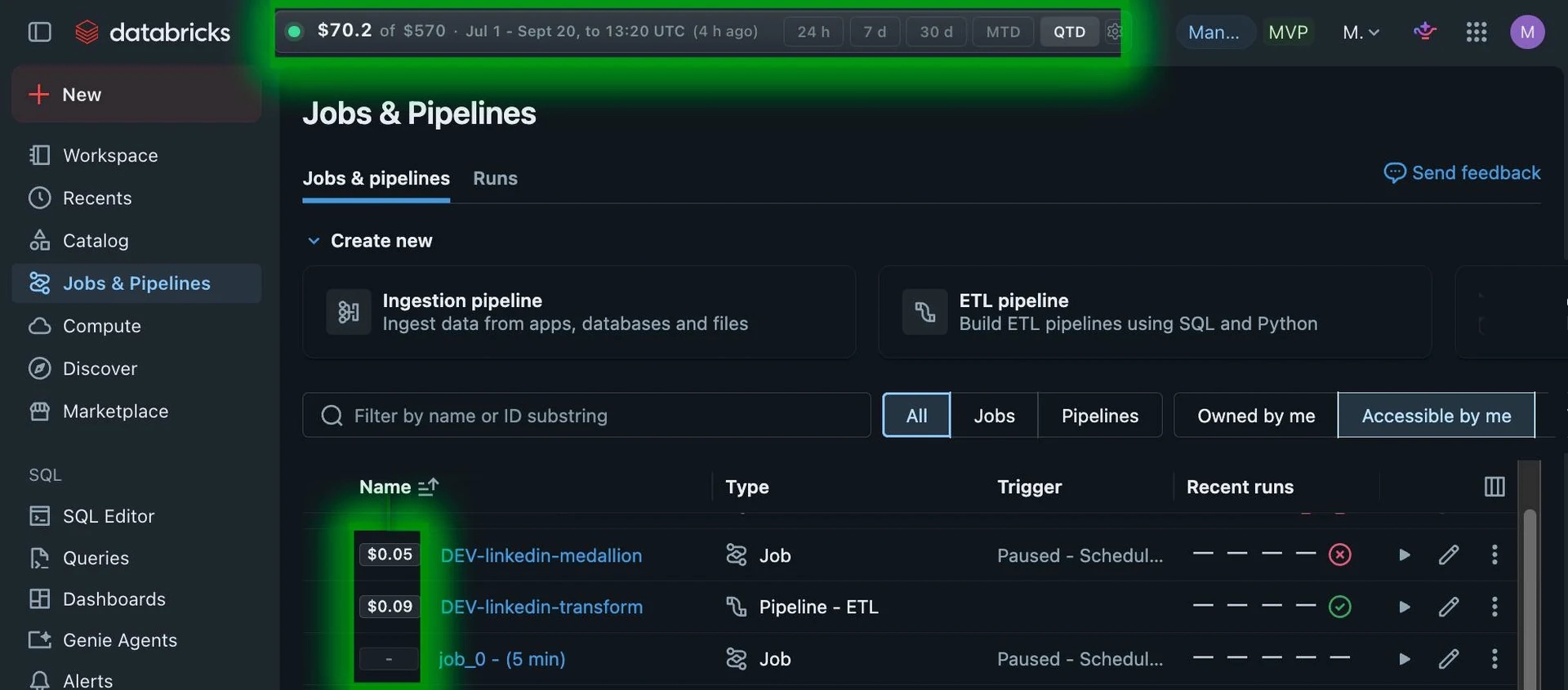
See cost information alongside your jobs and pipelines, without leaving Databricks.
03 Job runs
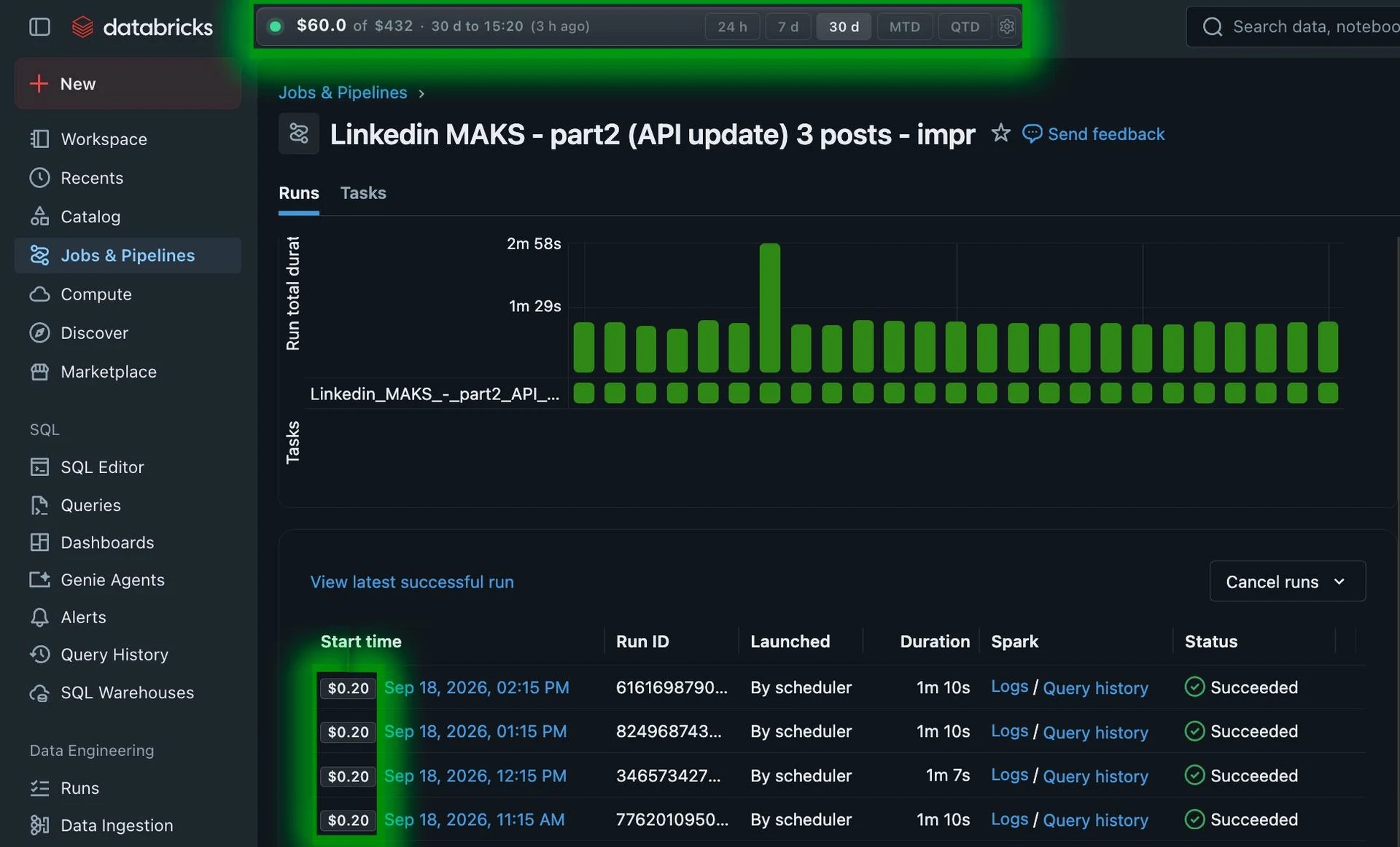
Bring cost into the picture when you review a job run, right where you already work.
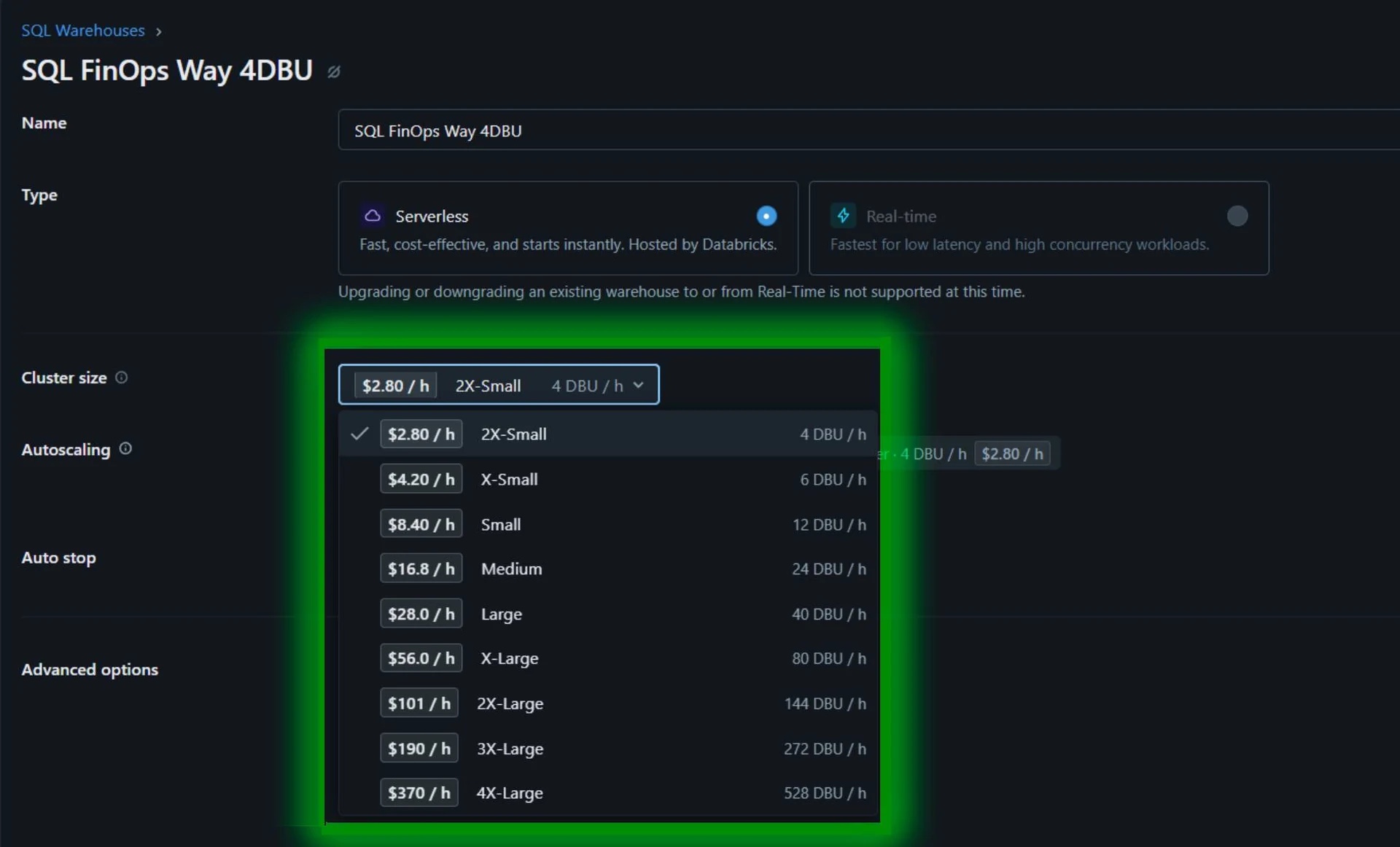
04 SQL warehouse setup
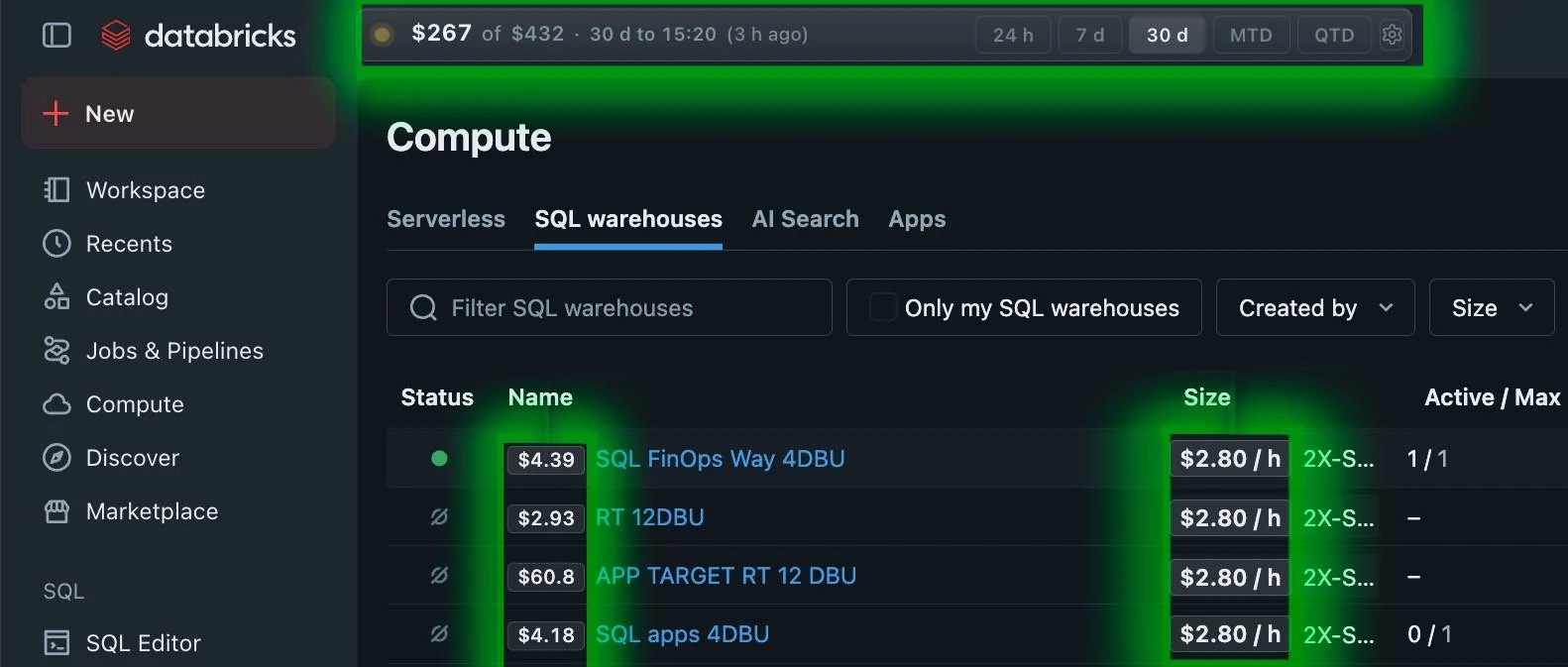
Compare hourly cost estimates beside SQL warehouse sizes before choosing compute.
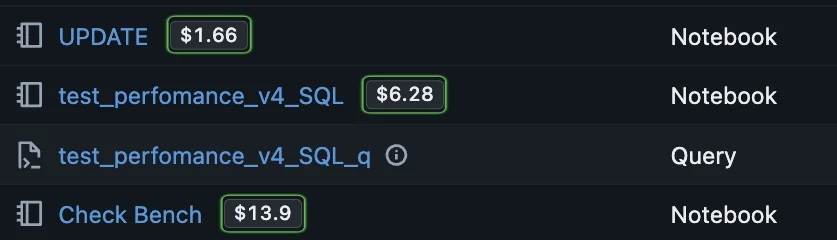
05 Notebooks
See cost badges beside notebook names and review the compute behind your analysis.
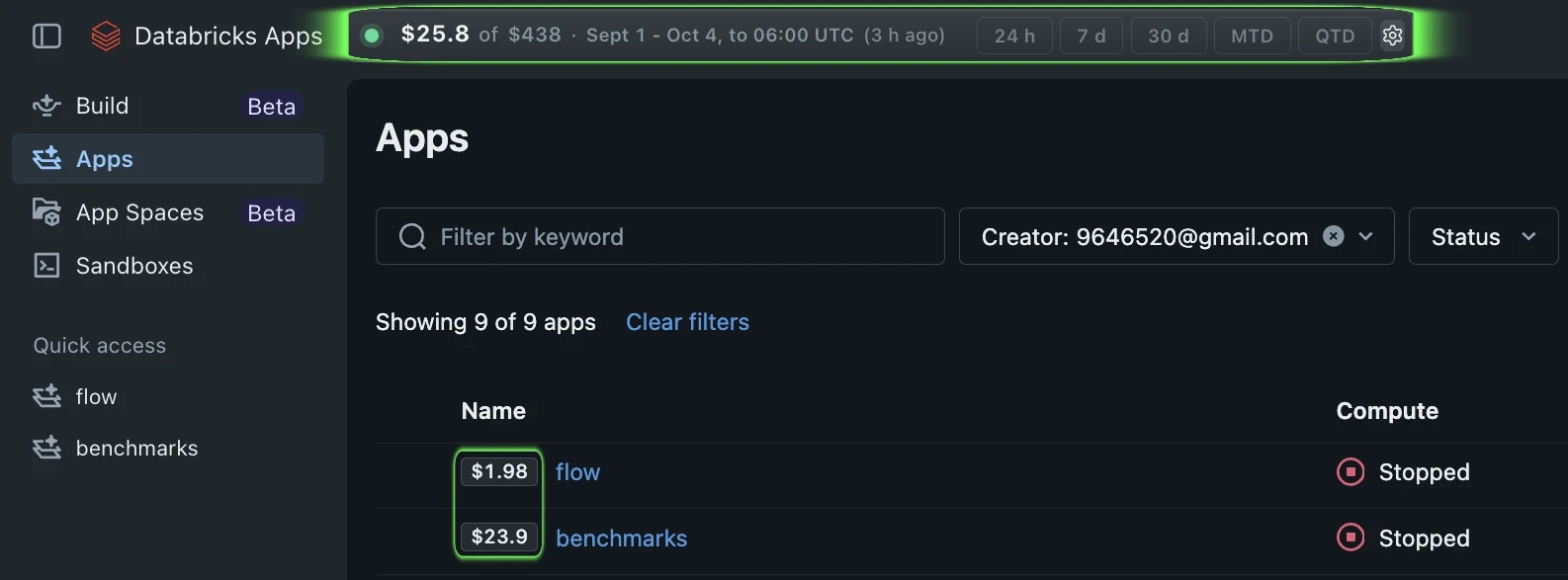
06 Databricks Apps
Bring cost context to Databricks Apps, without leaving the place you manage them.
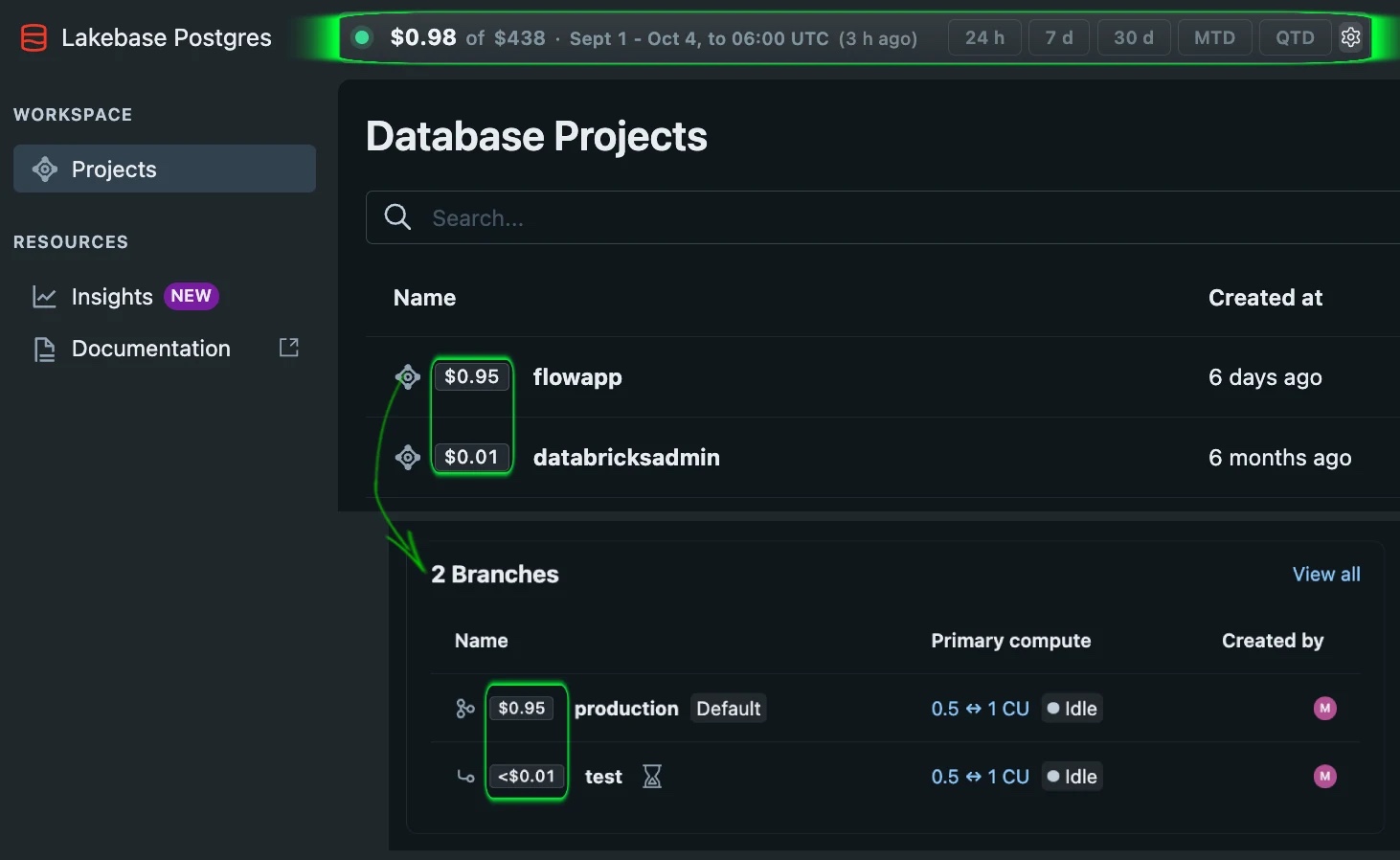
07 Lakebase
See the cost of a Lakebase database, not only as a whole but also for each individual branch.
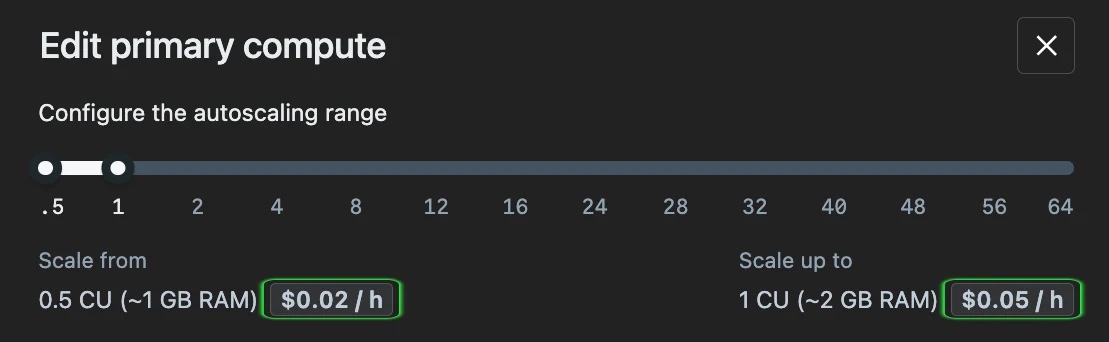
08 Lakebase settings
Review Lakebase cost information directly alongside the database settings you manage.
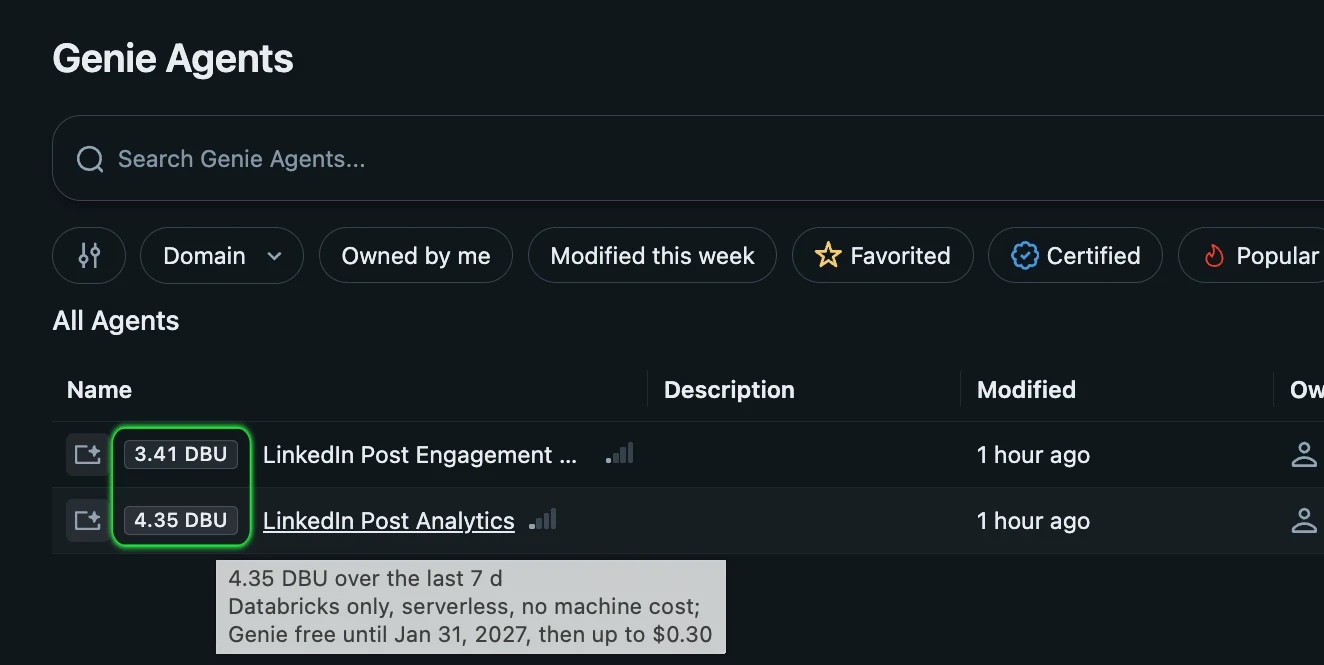
09 Genie Agents
See DBU usage alongside the Genie Agents you build and manage in Databricks. Genie Agents usage by users is free through January 31, 2027; service principal usage is billed.
Why FinOpsWay
Databricks Governance Hub (Beta) gives account and workspace admins one place to review spend by product, workspace and tag. That answers the question after the bill. But the cluster was sized, the job was scheduled and the query shipped by people who never opened that page.
FinOpsWay takes the same billing data to them, on the page where they are already working.
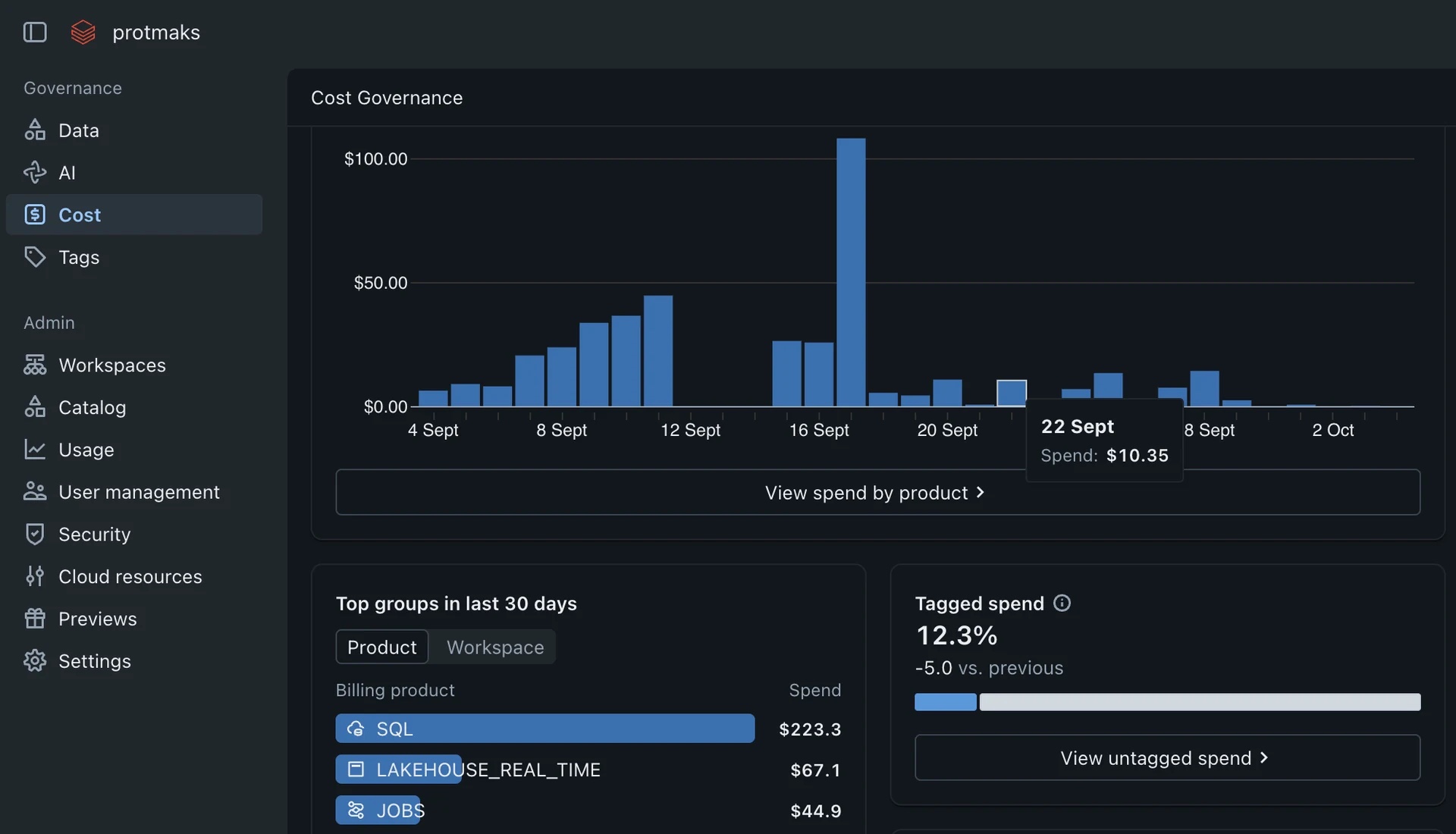
Governance Hub
One view for admins. Read the Databricks docs
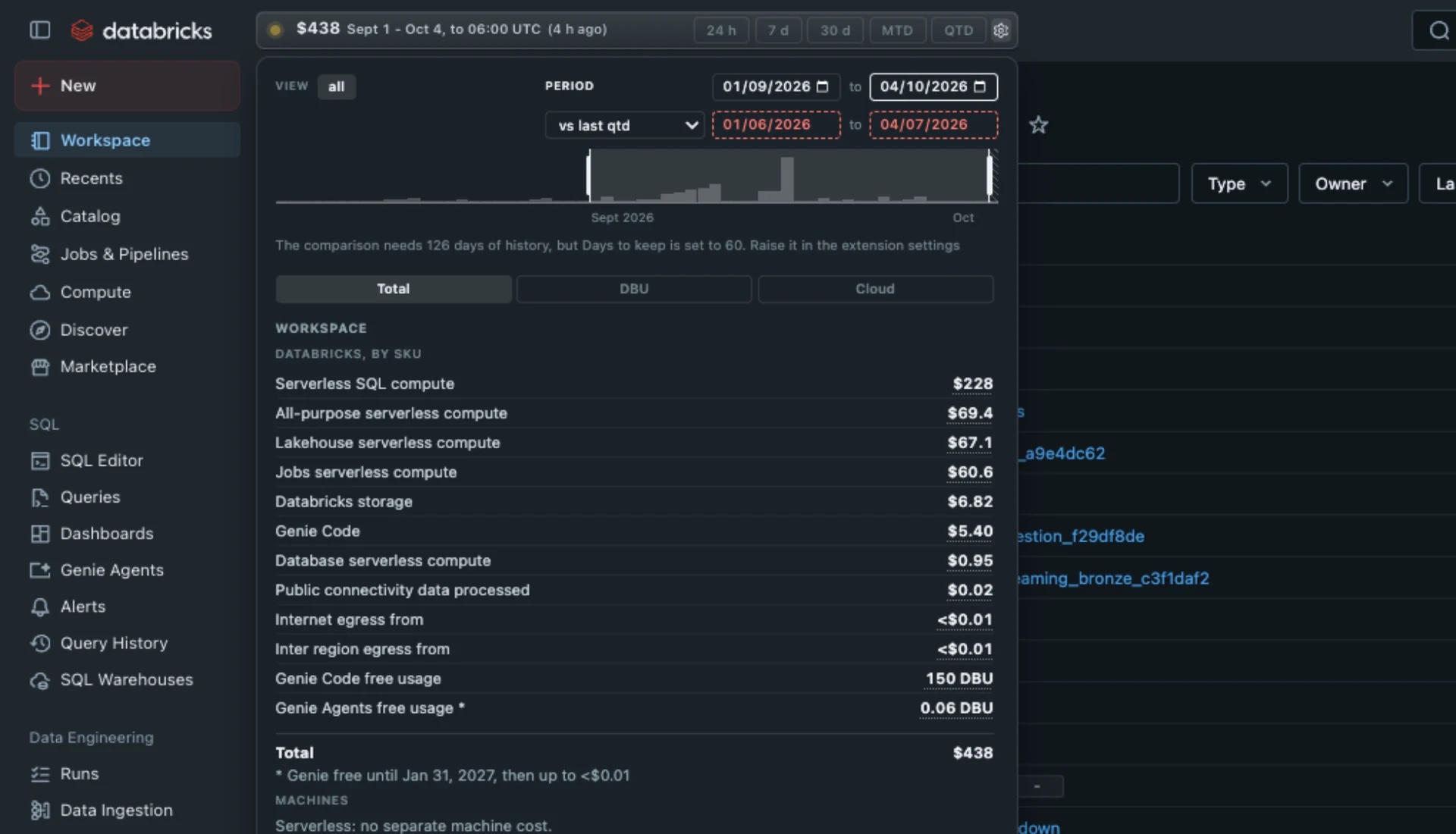
FinOpsWay
On every page. See every page it covers
Databricks Solutions Architect Champion

Databricks MVP & Databricks Solutions Architect Champion
The extension has no backend and no telemetry. The only network requests it makes are the queries themselves, sent to the Databricks workspace you are signed in to. We run no server, receive no data and cannot see what you query.
The data the extension reads is used only to display your Databricks spend. None of it is sold, shared with third parties or used for advertising. Cloud machine prices are bundled with the extension, so estimating cluster cost does not contact any cloud provider either. Read the full privacy policy.
*.cloud.databricks.com) and Azure
(*.azuredatabricks.net). The extension works the same
way on both.