
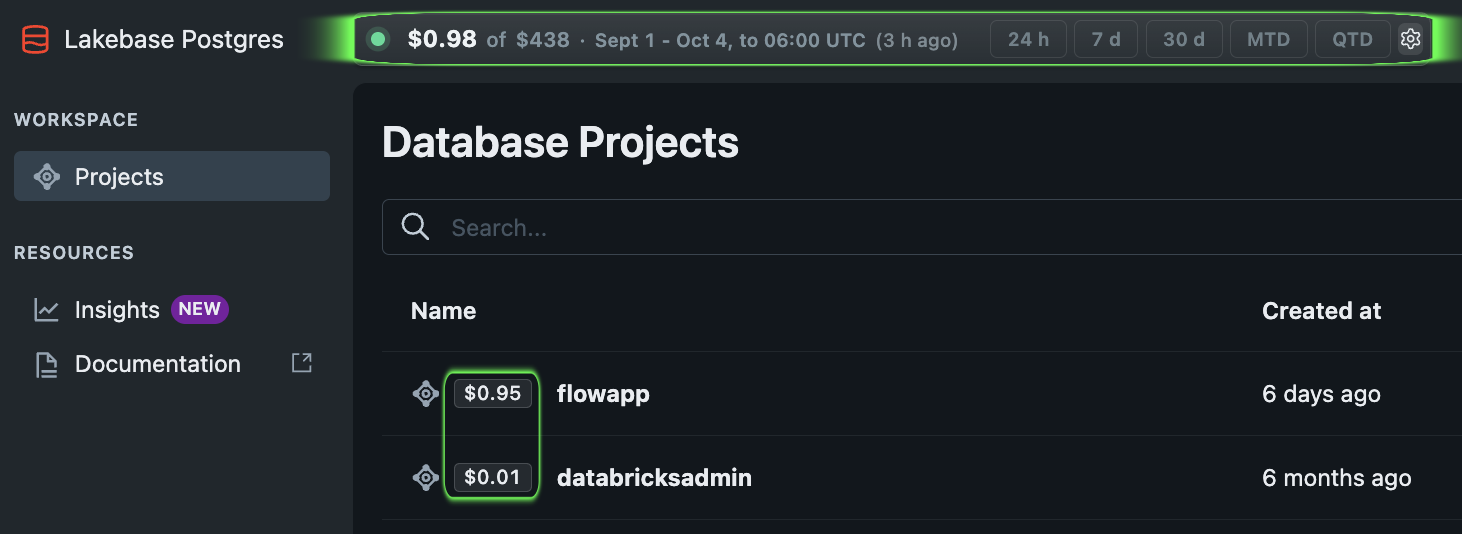
What makes up Lakebase costs?
- Compute: resources that run the database.
- Storage: the database data you retain.
- Sync pipelines: extra compute when synced tables copy data into Lakebase.
These are separate cost components. Databricks explains them in its Lakebase cost guide. Check the current Lakebase pricing for your cloud and region.
Lakebase rates by cloud
Compare the published reference rates shown for each cloud. The exact price can vary by region, plan and promotion.
Compute
| Compute rate | AWS | Azure | GCP |
|---|---|---|---|
| Autoscaling compute, per CU-hour | $0.092 | $0.111 | $0.104 |
| Always-On baseline, per CU-hour | $0.069 | $0.083 | $0.078 |
Storage
| Storage component | AWS | Azure | GCP |
|---|---|---|---|
| Database storage: fault-tolerant distributed storage that scales with the capacity needed by your database | $0.345/GB-month | $0.390/GB-month | $0.345/GB-month |
| PITR storage: retains historical data to enable recovery to any prior point within your retention window | $0.200/GB-month | $0.200/GB-month | $0.200/GB-month |
| Snapshots: on-demand and automated database snapshots for backup and recovery | $0.090/GB-month | $0.090/GB-month | $0.090/GB-month |
Promotions, contract terms and region selection can change the final rate.
Prices shown for US East (AWS us-east-1)View official Databricks pricing.
Stay on FinOpsWay: See how cost is calculated or Connect your workspace.
How to check database and branch costs
- Connect FinOpsWay and open Lakebase Projects.
- Read a project’s cost, then open its branches. A branch is an isolated database environment, often used for testing.
- Compare branch costs over the same period. Check billing freshness before investigating a recent change.
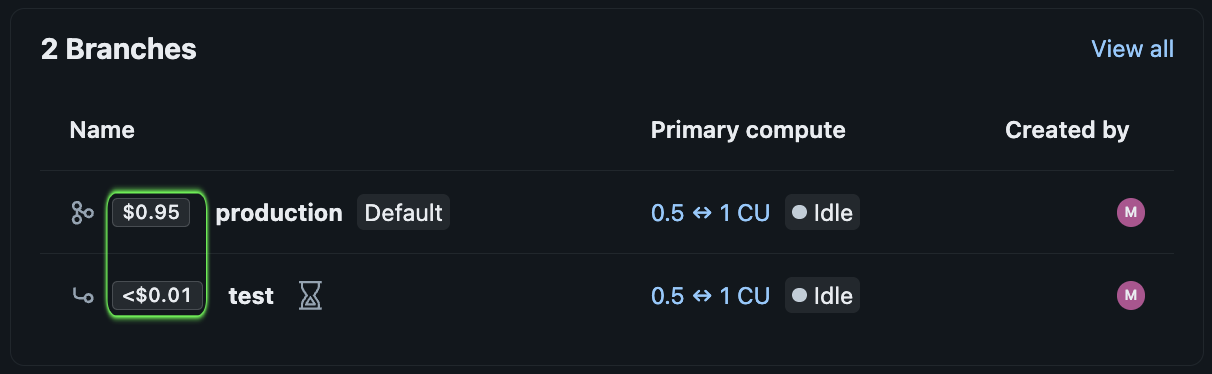
Example: The screenshot shows $0.95 for a production branch and less than $0.01 for a test branch. These are costs for the selected period, not hourly prices.
Check the estimate before creating a project
FinOpsWay shows an hourly compute estimate in the Create project dialog. Review it before creating the database. Screenshot prices are examples, not current quotes.
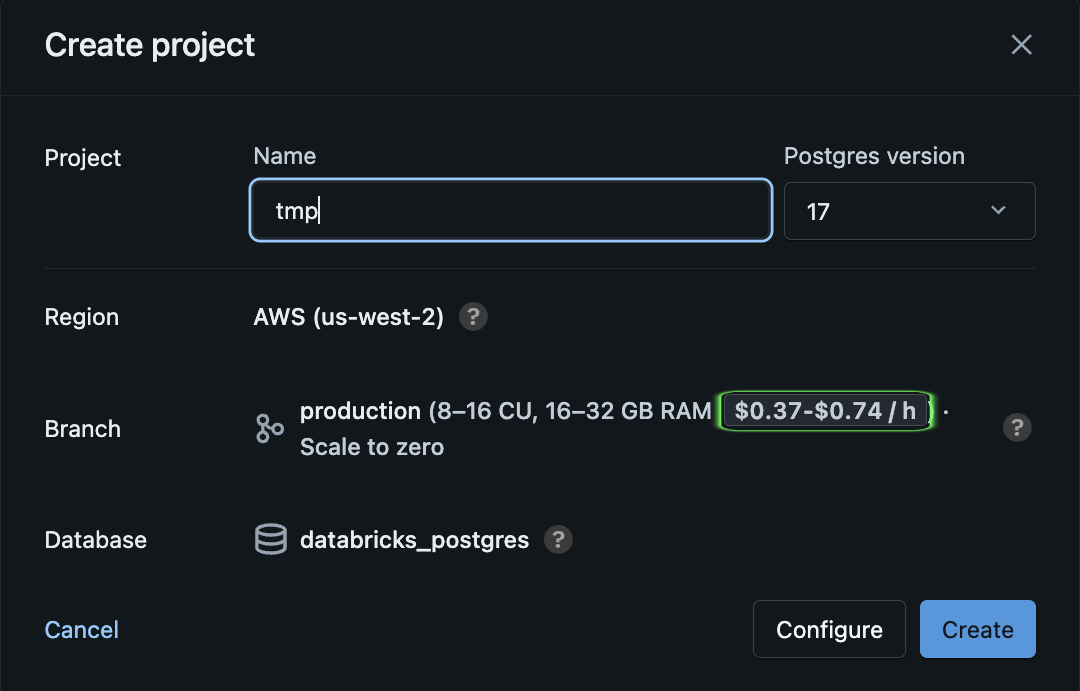
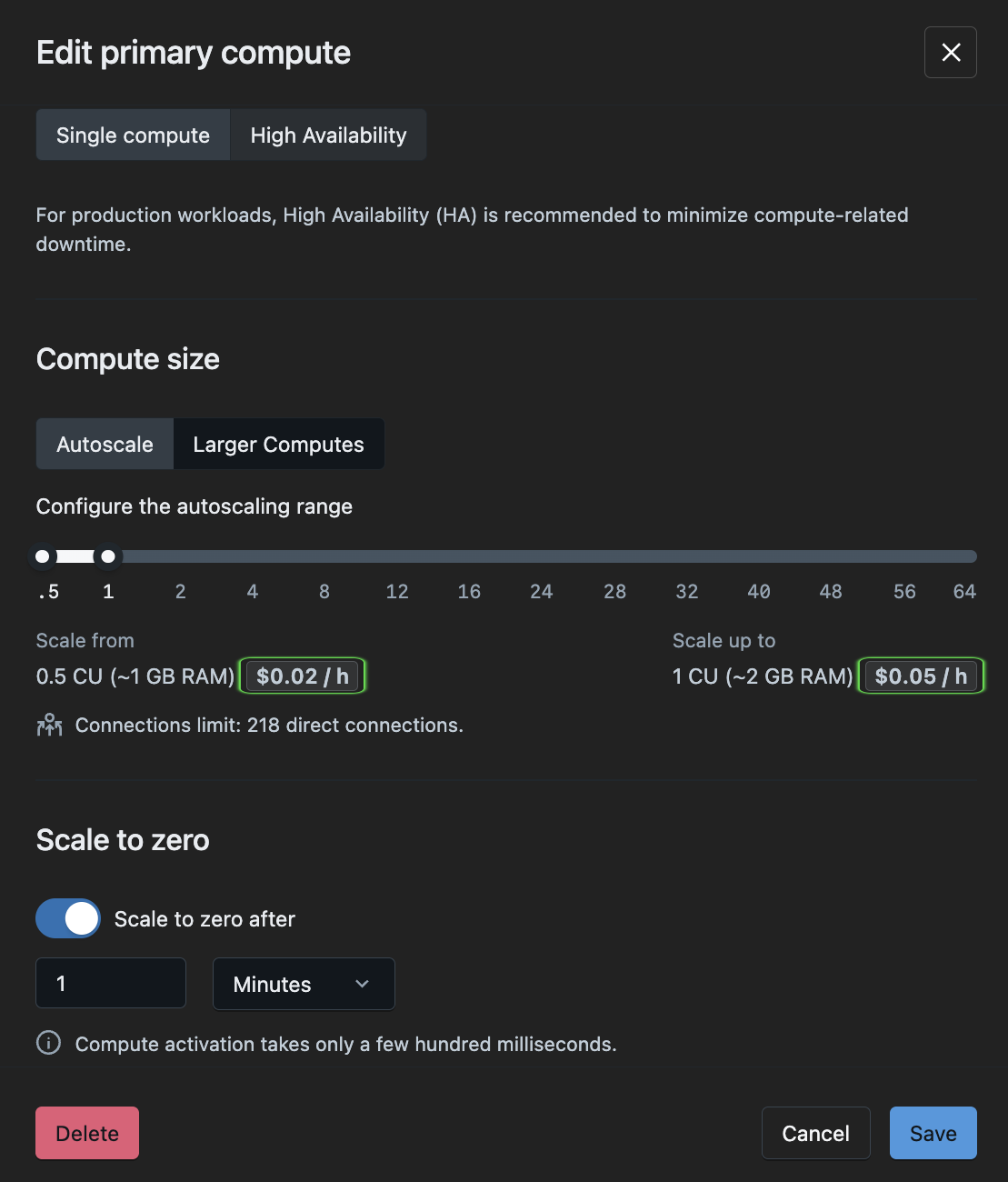
Hourly estimates in Lakebase settings
A CU, or compute unit, describes compute size. FinOpsWay shows hourly estimates beside the minimum and maximum CU settings. This range is not a forecast of actual monthly usage.
Common questions
Does scale-to-zero remove every Lakebase charge?
No. Suspending compute does not remove stored data. Storage and separate sync workloads can still contribute to the total.
Does the database badge include sync pipeline costs?
Do not assume so. Review the pipeline separately when calculating the full cost of the application.
Billing can lag by several hours. Check the reported period and freshness. How FinOpsWay calculates costs.
Add FinOpsWay to your browser
Install the free extension from your browser’s store. No FinOpsWay account is required.
 Available for
Google Chrome
Get the extension
Available for
Google Chrome
Get the extension
 Available for
Microsoft Edge
Get the extension
Available for
Microsoft Edge
Get the extension
 Available for
Mozilla Firefox
Get the extension
Available for
Mozilla Firefox
Get the extension
Microsoft Edge uses the Chrome Web Store listing.